

*Disclosure: This post contains affiliate links. If you purchase through my link, I may earn a commission at no extra cost to you. All opinions are my own, based on 10 years of actual use of the product.
I registered my first .com with Namecheap in 2016. A decade later, I’m still here. Still renewing. Still recommending them to clients.
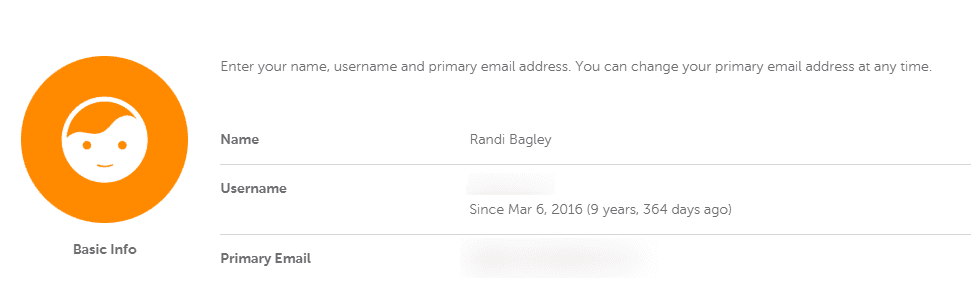
That says a lot.
I bought my first domain in 2013. I’d just discovered the whole “make money with a blog” (trying to make money online) and I had no idea what I was doing.
I’ve been working on making an SEO career since then, and I’ve used GoDaddy, Bluehost, and a handful of other domain registrars and hosting companies over the years. Some were fine. Some were a nightmare. Namecheap is the one that stuck!
This isn’t a sponsored love letter. It’s my honest, decade-long Namecheap domain review from someone who has a shit tone of domains. I’ll break down what works, what doesn’t, and why buying a domain through this registrar is still one of the easiest decisions I make for my online presence.
Why I Started Using Namecheap for Domain Registration
Back in 2016, I was looking for a place to buy a domain name that wouldn’t nickel-and-dime me. GoDaddy was the obvious choice at the time because everyone talked about them. But the upsells were relentless. Every single checkout felt like walking through a car dealership. And thats just not “me.” I’m from Grand Rapids Michigan, and let me tell ya, we know how to find the deals.
Then I found Namecheap.
The first thing that hooked me? Free privacy protection. At the time, most registrars (including GoDaddy) charged around $10 per year for WHOIS privacy. Namecheap included it for free with every eligible domain name registration. That alone saved me money across every domain I owned.
Here’s why that matters. When you register a domain, your personal information (name, address, phone number, email) goes into a public database called WHOIS. Without protection, that data is visible to anyone. Spammers, scammers, and marketing companies all scrape it. Namecheap offers free privacy protection for eligible domains through its Withheld for Privacy service. That was a big deal then. It’s still a big deal now.
What Does Domain Registration Actually Cost?
Let me break down the real numbers because pricing transparency matters.
A .com on Namecheap starts as low as $0.99 for new customers during promotions. The standard first-year price sits around $5.98 to $8.98, depending on current deals. Renewal runs about $13.98 per year for a .com.
Is that the cheapest renewal rate in the industry? No. Cloudflare sells domains at cost with zero markup. But Cloudflare doesn’t offer traditional web hosting, a website builder, or the full suite of bundled tools. If you want domains and hosting under one roof, the value is hard to beat.
ICANN charges a mandatory $0.20 annual fee for each registration, renewal, or transfer. That gets added at checkout. It’s small, but worth knowing about, so the price at the cart doesn’t catch you off guard.
Here’s my brutally honest take: Yes, buying a domain is cheap upfront and costs more on renewal. That’s the industry standard. Every registrar does this. At least Namecheap is transparent about it and doesn’t bury the renewal pricing in fine print.
My Namecheap Hosting Experience (Hosting for WordPress)
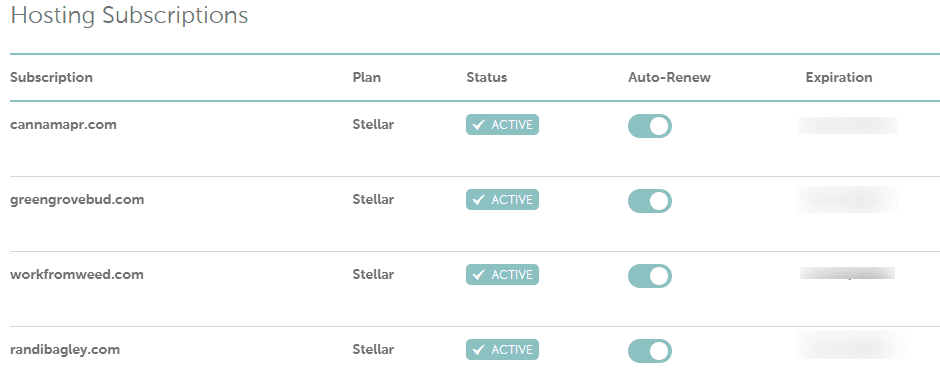
I’ve hosted several sites on the Stellar shared hosting plan over the years. Including this blog, randibagley.com that currently runs on their Stellar package.
I’m not going to sugarcoat it. Shared hosting is shared hosting. You’re splitting server resources with other websites, and performance reflects that. For a personal blog or small business site, it works. For a high-traffic ecommerce store, you’ll want to look at VPS or dedicated server options.
The Stellar plan starts around $1.98 per month (billed annually) and includes three websites, 20GB SSD storage, a free domain for the first year, and unmetered bandwidth. The Stellar Plus plan lets you host unlimited websites with more storage. Their Stellar Business tier adds automated daily backups and priority support.
Their managed WordPress solution, EasyWP, is where WordPress hosting gets interesting. It runs on cloud infrastructure built specifically for WordPress performance. The Starter plan covers basic blogs. The Turbo plan (around $58.88/year) adds a free domain, business email, CDN, and SSL. The Supersonic tier bumps you to 100GB storage and 500k monthly visitors.
Every hosting plan includes a free SSL certificate (PositiveSSL from Sectigo), which is non-negotiable in 2026. Google has been using HTTPS as a ranking signal for years. If your site doesn’t have SSL, you’re already behind.
The Dashboard and DNS Management
Namecheap’s dashboard is clean and functional. I manage multiple domains from one account, and the interface makes it simple to update DNS settings, configure records, set up CNAME entries, manage domain transfers, and handle renewals.
Is it the prettiest control panel I’ve ever used? No. But it works. And after a decade of using it, I can navigate it in my sleep. The DNS management alone is worth it. Free servers, easy record editing, and the option to upgrade to PremiumDNS for better uptime and DDoS protection.
For context, Namecheap was founded in 2000 by Richard Kirkendall and is an ICANN-accredited registrar based in Phoenix, Arizona. As of 2025, they manage over 18 million domains (their homepage currently says 18 million, though third-party sources report anywhere from 11 million to 24 million, depending on how you count). In September 2025, CVC Capital Partners acquired a majority stake in the company at a valuation of $1.5 billion. The company grossed about $400 million in 2024.
That’s not a small operation.
Customer Support: Live Chat Only
Here’s where I have to be real. There is no phone support. Period. Customer support is available 24/7 via live chat and a ticket system.
For me, I love it and it works. I actually prefer chat because I have a written record of every conversation and I don’t like talking on the phone. But I know some people want to pick up a phone when something goes wrong with their website domain. If that’s you, this is worth knowing upfront.
The support team has been solid in my experience. Response times on chat are usually under five minutes. The knowledge base is extensive. And I’ve never had an issue that wasn’t resolved within a single session.
But here’s the reality: no hosting company has perfect support. I’ve had slow responses during peak times. I’ve had to explain technical DNS issues to agents who needed to escalate. That’s not unique to Namecheap. That’s web hosting services in general.
Why I Switched from GoDaddy and Never Looked Back
The world’s largest registrar manages over 80 million domains. Namecheap is smaller. But bigger doesn’t mean better.
The upsell tactics at my old registrar were aggressive. Privacy costs extra. Renewal prices were notoriously higher. And the interface felt cluttered compared to Namecheap’s straightforward dashboard.
Namecheap, without the upsell pressure, is a breath of fresh air. You buy a domain, you get free privacy protection, and you move on. No “Are you SURE you don’t want this $49.99 website security package?” pop-ups at checkout.
I transferred several domains from GoDaddy years ago. The transfers were painless, and I immediately saved money on renewal pricing. If you’re currently unhappy with your registrar, making the switch is one of the easiest moves you can make.
Private Email and Business Email Options
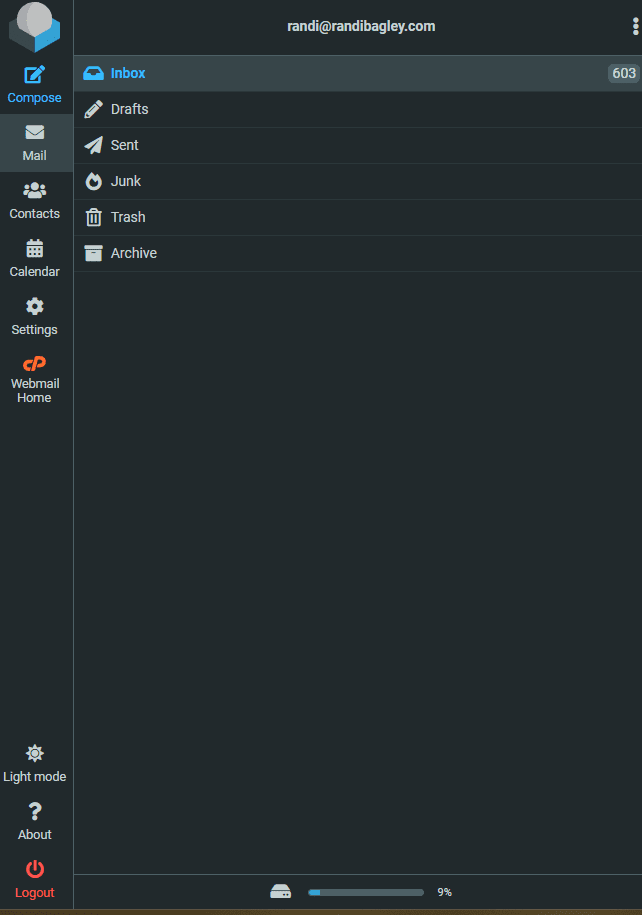
Want to send emails from yourname@yourdomain.com instead of a Gmail address? Namecheap’s private email service starts at $11.88 per year. I don’t ever usually buy that though!! I normally just use email forwarders. But you can get a professional business email connected to your domain with calendar tools and business features if you do get it.
You also get free email accounts with shared hosting plans (up to 30 on the Stellar plan), which is great for getting started without additional cost. I don’t usually use these because it’s kind of annoying, as I haven’t figured out how to access them other than through CPanel. Which is why I normally just create forwarder emails to Gmail accounts.
Namecheap’s Business Starter Kit: Free Tools to Build a Website
This is newer, and it’s worth mentioning. There’s a Business Starter Kit that bundles free LLC formation (you just pay state filing fees), a .com domain, one year of Stellar hosting, private email, and marketing tools like RelateSEO and RelateSocial.
The total first-year value is over $250 worth of products and services.
If you’re looking to build a website and establish your online presence from scratch, this is an unbeatable starting point. Register a domain, set up your hosting account, create a business email, and start building. All in one place.
They even have a 30-day money-back guarantee on hosting packages, so you can test things out without risk. And if you want to skip the technical setup entirely, their Site Maker website builder lets you get a basic site live in a few clicks.
What I Actually Use After 10 Years
After a decade, here’s what I consistently rely on:
- Domain registration and renewal: Multiple domains across .com and other TLDs, all with free privacy
- Stellar hosting: For smaller sites that don’t need enterprise-level resources
- Free SSL certificates: Included with every hosting plan, auto-installed through the control panel
- DNS management: Easy access to records, A records, CNAME configuration, and IP address settings
- Auto-renewal: Set it and forget it, so I never accidentally lose a site (also easy to turn off)
- Marketplace: Useful when searching for a domain for sale or checking if a premium new domain is available
There’s also a logo maker, a VPN service (FastVPN), and a Supersonic CDN. I haven’t used those, so I won’t pretend to review them. I only review what I’ve actually put my hands on.
What I Don’t Love About Namecheap
No review is complete without the downsides. Here are mine:
- No phone support. I prefer chat, and it’s never done me wrong. I know some people want to talk on the phone sometimes.
- Shared hosting performance has limits. If your site outgrows the Stellar plan, you’ll need to upgrade or migrate. The hosting is solid for starters, not for scale.
- Renewal price increases. Like every provider in this space, promo pricing doesn’t last forever. Budget for the real renewal cost, not the introductory rate.
- The CVC Capital acquisition. Private equity involvement always makes me nervous. The company changed hands in 2025, and time will tell if that affects pricing, support quality, or the overall experience. Namecheap’s founder, Richard Kirkendall, remains the largest single shareholder, which is somewhat reassuring.
Who Should Buy a Domain on Namecheap
Namecheap is best for small business owners, freelancers, bloggers, and anyone looking to register a domain and get online without spending a fortune. If you want affordable WordPress hosting, straightforward name registration, and a registrar that doesn’t treat your checkout like a gauntlet of upsells, this is a solid pick.
If you need enterprise-grade hosting, the fastest possible page load times, or phone-based support, you’ll want to look at more premium web hosting providers. Namecheap isn’t trying to be everything to everyone. It’s trying to be the best value in the domains and hosting space. And after a decade, I’d say they’ve earned that.
Is it perfect? No.
Is it the best value for most people buying a domain in 2026? Yes.
They’ve managed to stay affordable, keep their dashboard functional, offer free privacy protection, and build out a hosting ecosystem that covers everything from a personal blog to a growing business. The Business Starter Kit alone makes them worth checking out if you’re starting fresh on Namecheap.com.
Here’s what 10 years taught me: the best registrar is the one you don’t have to think about. Your domain renews on time. Your DNS settings work. Your hosting stays online. It all happens quietly in the background while I focus on what actually matters: building websites, ranking pages, and growing businesses.
I’ve been feeding the algorithm since 1996. And for the last decade, Namecheap has been where my domains live. That’s not changing anytime soon.
*Disclosure: This post contains affiliate links. If you purchase through my link, I may earn a commission at no extra cost to you. All opinions are my own, based on 10 years of actual use of the product.